One photo, one clip. Watch your character talk.
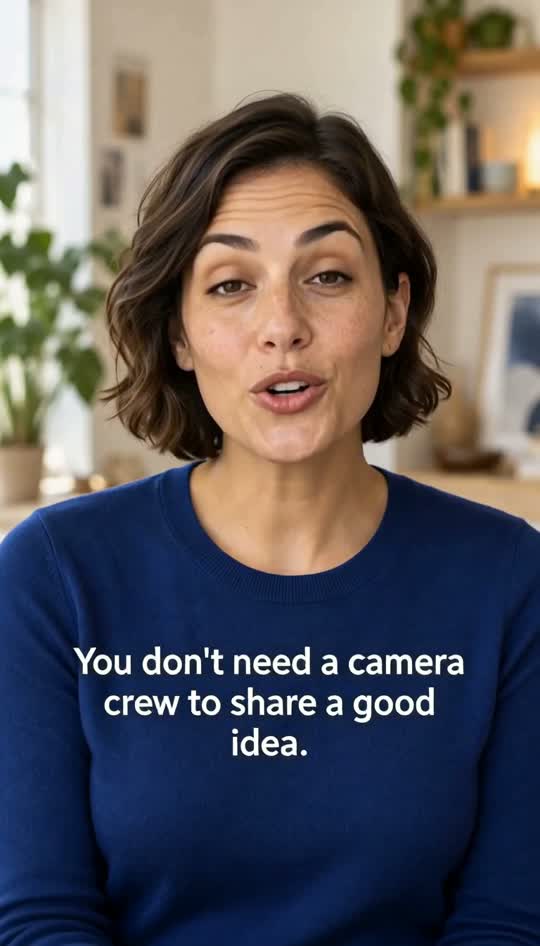
Pair a single portrait with an audio clip and the face speaks it, lips in sync. Or skip the photo and describe a character who says your line.
How it works.
- 01
Choose a face
Upload one portrait photo or pick from 10 built-in avatars. Front-facing, well-lit faces give the cleanest results.
- 02
Add the audio
Upload a clip between 5 and 14.8 seconds long. The character will speak it word for word.
- 03
Get your video
In a few minutes the talking video appears in My videos. Download it and share it anywhere.
What you get.
10 built-in avatars
No photo on hand? Pick a ready-made avatar and give it your audio. Useful for explainers, intros, and recurring hosts.
Lips follow your audio
The mouth moves with the words in your clip, so the character speaks your exact recording.
Characters from text
No audio? Describe a character and quote a line in your brief. The video generates the character, scene, and speech together.
Captions on the words
Turn on auto captions and each word appears as the character says it.
Vertical or landscape
Make 9:16 talking clips for phones or 16:9 for YouTube, courses, and slides.
Getting clean lip sync
Lip sync starts with the photo. Use one person, facing the camera, with even light and the mouth clearly visible. Avoid hands near the face, heavy shadows, or sunglasses. A neutral or closed mouth in the photo gives the model the most room to work. For audio, record in a quiet room and keep music out from under the voice, since the lips follow what they hear. Trim silence from the start so the character speaks right away, and stay inside the 5 to 14.8 second window. Illustrated faces and mascots can work too, as long as the face is clear and front-on. Only use photos of people who have agreed to it, and never a real person without their permission.
- A cartoon knight in a noisy tavern raises a mug and says: 'Who stole my dragon?'
- A friendly robot librarian peers over its glasses and says: 'Late fees are due in batteries.'
- A woman in a sunny kitchen talks to camera: 'Three things I wish I knew before my first apartment.'
- A grumpy houseplant with a painted face says: 'Water me. Now. I am not asking twice.'
Questions, answered.
What photo works best for a talking avatar?
A single, front-facing portrait with even light and the mouth clearly visible. Avoid group shots, side angles, sunglasses, and hands near the face. If you do not have a good photo, choose one of the 10 built-in avatars.
How long can the audio clip be?
The audio clip for lip sync must be between 5 and 14.8 seconds. Record it in a quiet room with no background music for the best mouth movement, and trim any silence at the start.
Is the free video enough for lip sync?
No. The free first video is a 5-second 480p text-to-video clip. Lip sync with a photo and audio needs a paid plan, starting with Hobby at $19.99 a month for 250 credits.
Can I use a photo of someone else?
Only with their permission. Use your own photo, one of the built-in avatars, an illustrated character, or a photo of someone who has agreed to be animated. Do not use it to impersonate real people.